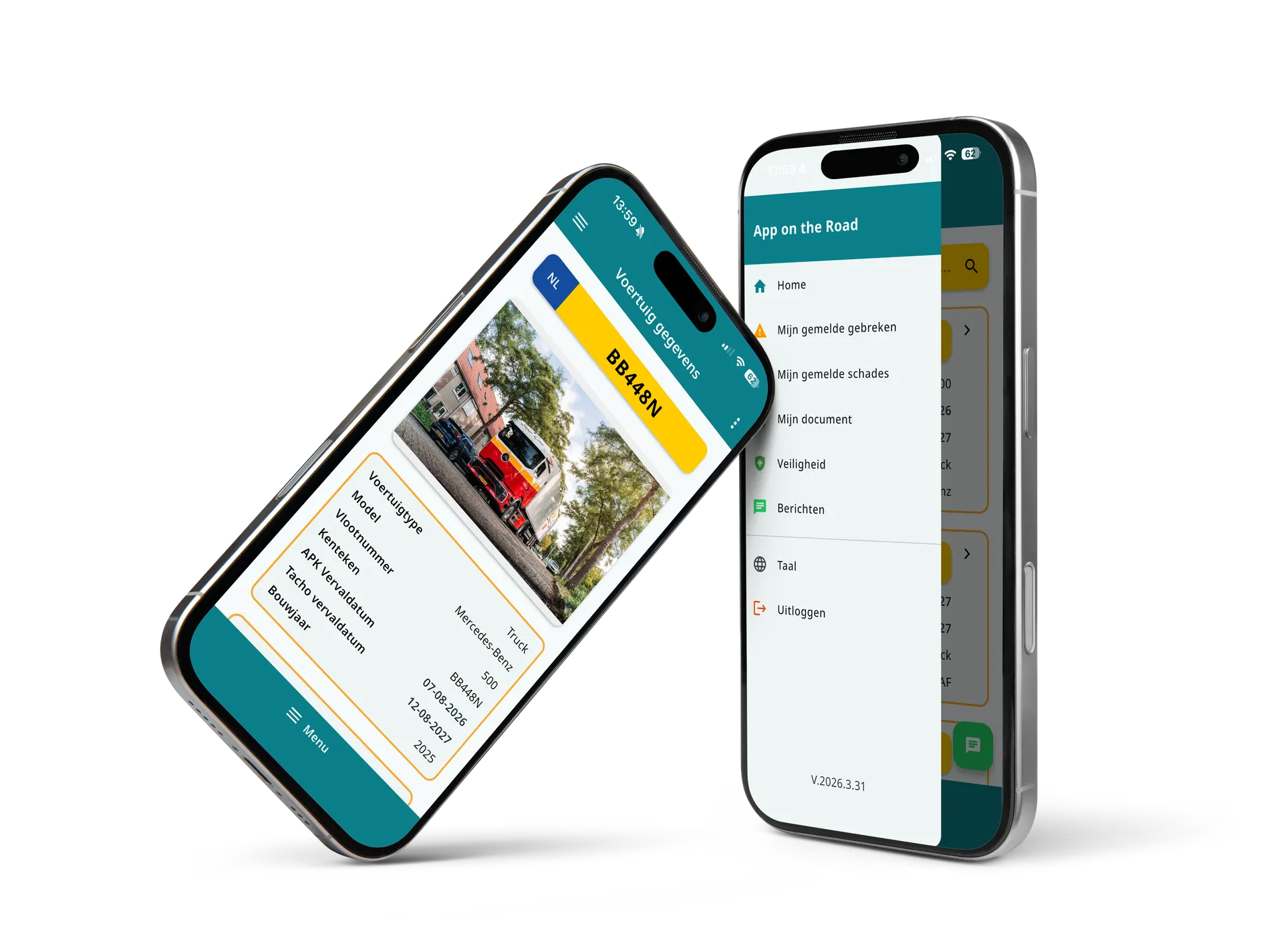
How AppOnTheRoad works
From inspection to insight in one simple flow. Drivers do their work faster and you have direct oversight, without extra paperwork or disconnected systems.


One platform for the road and the office. Everything synchronized in real time.
With App on the Road the driver completes the inspection or report in the app; the information lands in the Operations Dashboard in real time, so the fleet manager has instant oversight — in three steps, without extra admin.


From report to overview in 3 steps
- Step 1
Driver completes inspection
The driver opens the app and easily walks through the vehicle inspection. Damage, defects, and special situations are captured directly with photos and notes. Thanks to the clear interface and large buttons, this is quick and error-free, with no training required.
- Step 2
Everything processed in real time
As soon as the inspection or report is completed, all information is sent directly to the dashboard. No waiting times, no manual processing, and no separate communication needed.
- Step 3
You stay in control and adjust
In the dashboard you see exactly what is happening in your fleet. You have direct visibility into inspections, damage, and reports and can quickly take action where needed.
Schedule a demo
How it looks in practice
From inspections to damage reports and communication. Everything happens in one clear flow within the app and the dashboard.


Why this is so effective
Because everything happens in real time and centrally, you avoid errors, delays, and miscommunication within your organization. Information no longer needs to be processed manually or shared through different channels, so you always work with current and complete data.
Drivers can do their work faster and more easily, while you have direct insight into the status of your fleet. Reports, inspections, and damage arrive immediately, so you can respond faster and prevent problems before they grow.
This way you work more efficiently, stay in control, and always know exactly what is happening.
More control Less hassle
With AppOnTheRoad you work more efficiently and avoid unnecessary errors and delays. You save time on administration, get direct insight into the status of your fleet, ensure better collaboration between drivers and back office, and keep grip on processes that were previously hard to oversee.

Frequently asked questions
How does a digital vehicle inspection work?
The driver opens the app, selects the vehicle and works through the checklist that automatically matches the vehicle type. Damage or defects are reported straight away with a photo and note; after digital sign-off the results are available in real time in the Operations Dashboard or your own system, such as Ultimo.
Can drivers add photos?
Yes. With a damage or defect report the driver adds photos — as many as needed — with a short description.
Does App on the Road work with Ultimo?
Yes. App on the Road links in real time with Ultimo. In addition, open REST APIs are available to push vehicle data, damage reports, work orders and other data to virtually any other package.
How quickly can a defect be reported?
In a few seconds: find the vehicle, add a short description and take a photo. The report lands in the right place in the system straight away.
Does the app work offline?
The app needs an internet connection to send data and sync with the dashboard in real time.
Can foreign drivers use the app?
Yes. App on the Road is available in 11 languages, so every driver uses the app in their own language.
Are reports automatically translated between languages?
Yes. Every user sees the inspection questions and reports in their own language. The free text from inspections and defect or damage reports — the comments — is translated live: a Polish report appears in German for a German driver and in Dutch for the fleet manager, each with the option to show the original. Available in English, Dutch, Polish, French, German, Czech, Spanish, Bulgarian, Serbian, Hungarian, Italian and Romanian, among others.
Is there a web dashboard?
Yes. Fleet managers work in the App on the Road – Operations Dashboard, where all inspections, damage, defects and reports come together in real time.
See how this works for yourself?
In 30 minutes we walk you through how a driver completes an inspection, how damage and defect reports land in the dashboard, and how you follow up on alerts straight away.
Your details:
What you'll discover:
- Lasts 30 to 60 minutes
- Live insight into the app
- No obligations